
The Initial Contact
The message came through our website contact form from someone claiming to represent “Quality Garage Doors.”
The inquiry itself wasn’t unusual:
“We’re currently planning a major upgrade of qualitygaragedoorsca.com (web development, design, and SEO) and are looking for experienced professionals.”
That’s a common type of lead for any agency or freelancer.
After replying with interest, I received a follow-up email containing:
- A PDF “technical specification”
- A supposed WordPress admin/sandbox URL
- Instructions to log in using Google OAuth
- A request to send them my Google email afterward so they could “grant access”
That last part was the first major red flag.
The Phishing Setup
The attacker sent this:
“Access is handled via Google OAuth as part of our internal SSO setup.”
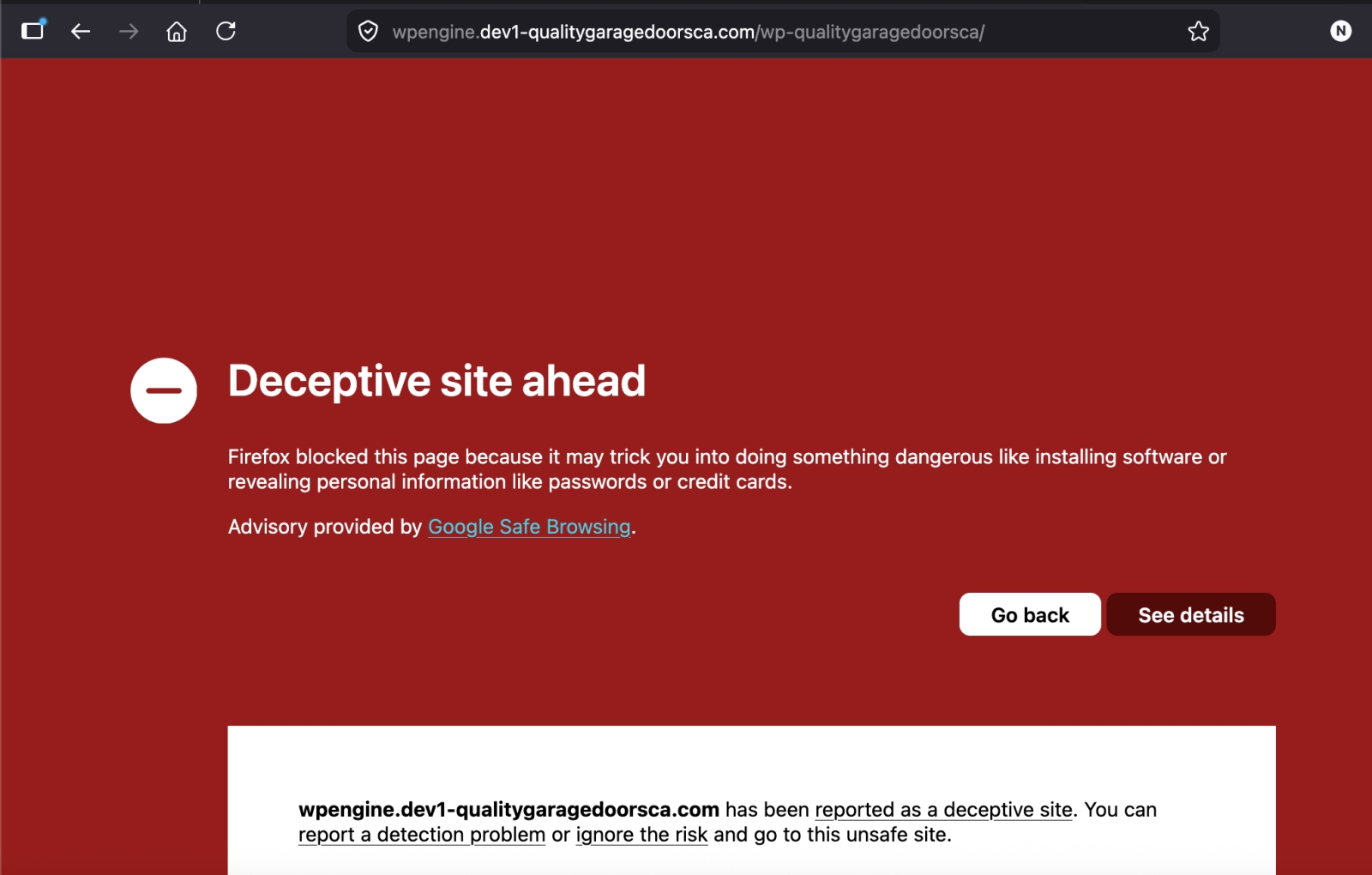
Then provided a URL that looked technical and believable:
https://wpengine.dev1-qualitygaragedoorsca.com/wp-qualitygaragedoorsca/
To a busy developer, this can look legitimate:
- “wpengine”
- “dev1”
- “internal SSO”
- WordPress staging terminology
- OAuth wording
This is exactly how targeted phishing works now: not obvious Nigerian-prince scams, but highly contextual social engineering aimed at specific industries.
The goal was almost certainly to:
- Get the victim to click “Sign in with Google”
- Capture Google credentials or OAuth authorization tokens
- Gain access to email, Drive, Analytics, Search Console, business systems, or password resets
The PDF Was Also Suspicious
The email linked to a PDF hosted on the supposed live website:
https://www.qualitygaragedoorsca.com/wp-content/uploads/doc/Technical_Specifications.pdf
That raised additional concerns.
The /wp-content/uploads/ directory is writable on many WordPress sites. Attackers frequently abuse compromised WordPress installs to host:
- phishing kits
- malware
- fake documents
- credential harvesting pages
- spam assets
It’s possible:
- the site owner was compromised,
- the domain was abandoned and hijacked,
- or the attackers intentionally used a real business website to appear trustworthy.
Using a legitimate domain dramatically increases credibility and helps bypass spam filters.
Red Flags Developers Should Watch For
Here were the warning signs:
1. Immediate OAuth Login Request
Legitimate clients rarely ask a vendor to authenticate with Google before even discussing the project.
2. Requesting Your Google Email After Login
This is classic social engineering designed to normalize the login process.
3. Suspicious Subdomain Structure
The URL attempted to mimic a development environment:
- wpengine
- dev1
- fake staging naming conventions
Attackers know developers are accustomed to odd-looking staging URLs.
4. Outlook Email Address for a “Business Owner”
Not always malicious, but worth noting:
This email address is being protected from spambots. You need JavaScript enabled to view it.
5. Urgency + Professional Tone
The wording was polished and professional enough to bypass instinctive skepticism.
Why This Attack Is Effective
Freelancers, agencies, and developers are ideal targets because:
- we constantly receive new client inquiries,
- we regularly access staging environments,
- we often use Google Workspace,
- and we’re trained to trust technical workflows.
Attackers are adapting their phishing methods specifically for tech professionals.
This wasn’t random spam.
It was tailored social engineering.
Recommendations for Other Developers
If you receive a lead like this:
- Never log into unknown environments with your primary Google account
- Inspect URLs carefully
- Use isolated browser profiles or virtual machines for unknown client assets
- Verify ownership of the business independently
- Be cautious of OAuth prompts from unfamiliar domains
- Assume that “sandbox” environments may be hostile
- Use hardware MFA/security keys on important accounts
Most importantly: if a lead feels slightly “off,” trust that instinct and investigate before logging in.
Final Thoughts
The interesting part about this attack wasn’t that it was technically advanced — it wasn’t.
What made it dangerous was how believable it was.
It mirrored real agency workflows closely enough that many developers would probably proceed without hesitation.
That’s where phishing is heading:
less obvious spam,
more targeted impersonation,
and increasingly industry-specific social engineering.
Hopefully sharing this helps other freelancers and agencies avoid the same trap.


